
OBDLink MX+ RSS
🛠️ QUICK START GUIDE: OBDLink MX+

🛠️ QUICK START GUIDE: OBDLink MX+ All these apps work best with the OBDLink MX+ — the most compatible OBD2 adapter available, with AU stock and same-day dispatch from Melbourne. Buy OBDLink MX+ Now → View MX+ Bundle → Thank you for choosing Zedmotive.com.au – Your AU Diagnostic Experts STEP 1: INSTALL THE APP Scan the QR code on the product box or search "OBDLink" in the Apple App Store or Google Play Store. Download and install the free app before plugging in the device. STEP 2: CONNECT TO YOUR VEHICLE Locate your OBD-II Port: Usually found under the...
The Ultimate Australian Buyer’s Guide: Why the OBDLink MX+ is the Top Pick for 4WDs and Modern Cars

If you own a modern vehicle in Australia, a reliable OBD2 scanner is no longer just a "nice-to-have" tool—it’s an essential part of your recovery kit. Whether you're deep in the Victorian High Country or navigating Sydney traffic, knowing exactly why a warning light has appeared can be the difference between a quick fix and an expensive tow.
MotoScan BMW Specific App.

Do you have a BMW motorbike and need a scan tool and BMW specific App? You Need MotoScan! MotoScan is a professional diagnostic app designed specifically for most current BMW motorcycles. It allows users to access diagnostic data and perform maintenance tasks. Here are the key features of MotoScan: Diagnostic Capabilities: Identification of Control Units: MotoScan helps identify the control unit in your BMW motorcycle. Trouble Code Reading and Clearing: You can read and clear trouble codes. Real-Time Data: Access real-time sensor parameters, input/output signals, and other relevant data. Actuator Control: Control actuators as needed. Service Interval Reset: Reset...
User Guide: OBDLink MX+
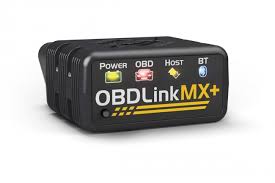
User Guide: OBDLink MX+Congratulations on your purchase of the OBDLink MX+! This user guide will walk you through the process of connecting the device to your vehicle using Bluetooth and using it with popular apps like Torque Pro and OBDLink App. Let's get started!Table of Contents:1. OBDLink MX+ Overview2. Connecting OBDLink MX+ to Your Vehicle 2.1. Bluetooth Connection3. Using OBDLink MX+ with Torque Pro4. Using OBDLink MX+ with OBDLink App1. OBDLink MX+ Overview:The OBDLink MX+ is a versatile OBD-II diagnostic tool that allows you to connect your vehicle's onboard computer (ECU) with various mobile devices. It supports Bluetooth connectivity and...
Unlocking the Power of Connectivity: Exploring the Benefits of OBDLink MX+


